
WoWChillen
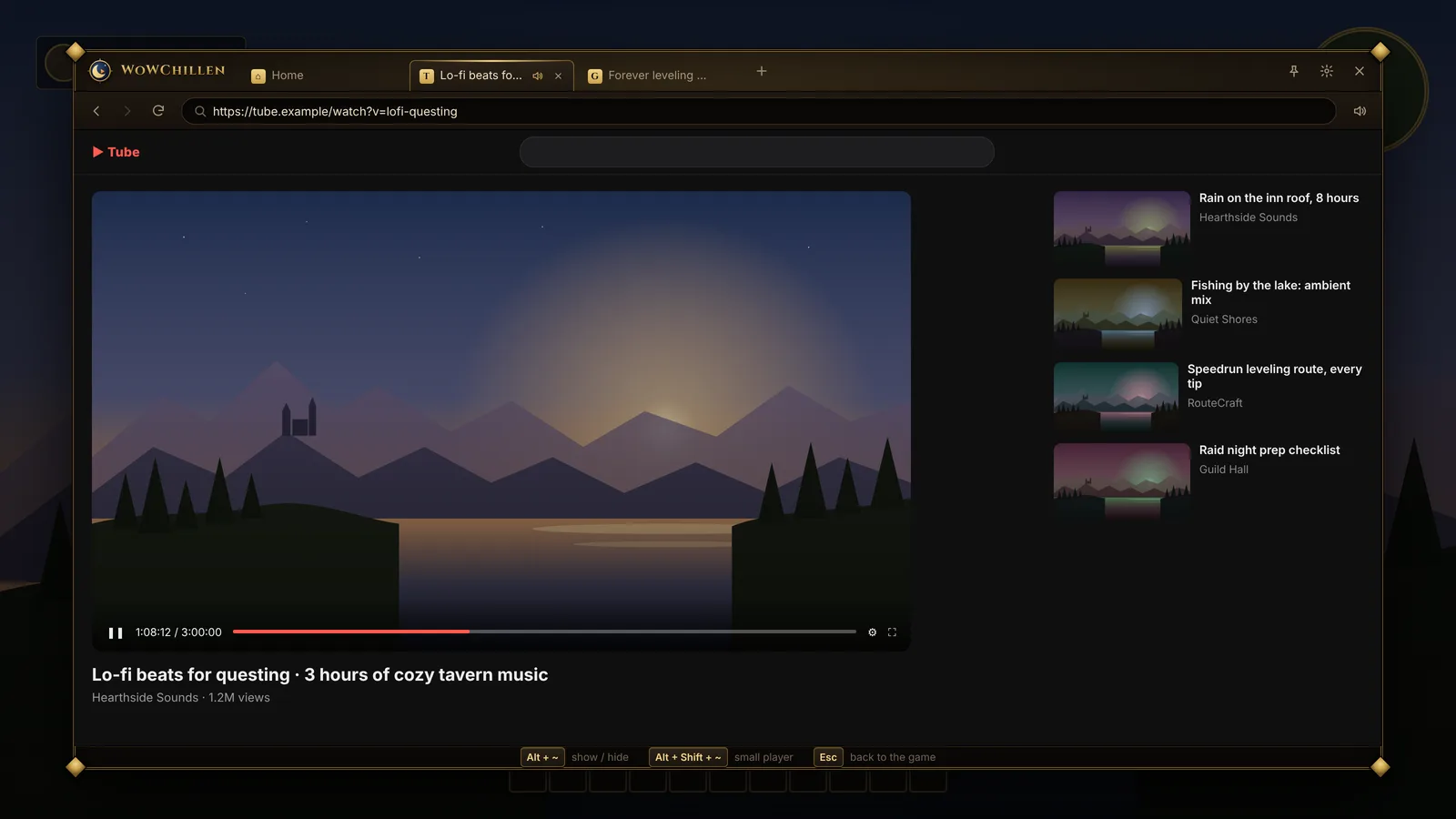
A window for YouTube, Twitch, guides and music that opens on top of World of Warcraft: Forever, so you don't have to alt-tab.
Free. Installs for your Windows user only.
Install
-
Download and run the installer
WoWChillen-Setup.exe installs for your Windows user only, so it doesn't ask for admin rights.
-
Go through the welcome screens
WoWChillen looks for your WoW folder and adds its addon. If it can't find WoW, it asks you to pick the folder.
-
Press Alt + ~ in game
If WoW was already open, type
/reloadin chat first. After that, WoWChillen updates itself and the addon.
The installer isn't code-signed yet, so Windows may say it's from an unknown publisher. Click More info, then Run anyway.
WoWChillen can only draw over WoW when the game's display mode is Windowed (Fullscreen), which is the default. If you changed it, set it back under System › Graphics › Display Mode.
What it does
Watch without leaving the game
Open it with Alt + ~, pick YouTube, Twitch, Wowhead or any site, and close it with Esc. Tabs are still there the next time you open it, and you only sign in to YouTube or Twitch once.
Ads are blocked by default. You can turn that off in Settings.
A small player that keeps going
Press Alt + Shift + ~ and the video shrinks into a corner while you play. Drag it, resize it, or make it see-through. It never takes keyboard focus from the game.
Press Alt + Shift + C and your clicks go through it to the game.
Look things up from the game
Hover an item, quest, NPC, spell, mount or achievement, press Alt + L, then Ctrl + C in the box that pops up. WoWChillen opens a YouTube search for it, with Wowhead and Google one click away.
The Ctrl + C step is there because addons can't talk to other programs. You can also type /chill Hogger in chat.
Keys
| Alt + ~ | Open or close WoWChillen |
| Alt + Shift + ~ | Shrink the video into the small player |
| Alt + L | Look up the thing under your mouse (in game) |
| Alt + Shift + C | Let clicks go through the small player |
| Esc | Close WoWChillen |
You can change the first three in Settings. Shift + Tab is left alone because WoW uses it.
More screenshots
The game backgrounds in these screenshots are placeholder art, not real game footage.
FAQ
Can I get banned for this?
It doesn't modify game files, read the game's memory, or send keys to the game. It's a separate window drawn on top, the same way the Discord and Steam overlays work, and the addon only uses the normal addon API.
The one gray area is an optional setting that skips the Ctrl + C step in look-ups by reading a small code off the screen. Some bots read pixels too, so it's off by default.
Do I need the addon?
No, the app works without it. The addon adds the look-up key, a minimap button and /chill. The installer adds it for you.
Can I install just the addon?
Yes. Download WoWChillen-v<version>.zip from the latest release and unzip it into World of Warcraft\_forever_\Interface\AddOns. Look-ups still need the app running to open anything.
Why aren't my Chrome passwords there?
Chrome encrypts its saved passwords and cookies so other programs can't read them. WoWChillen keeps its own sign-ins instead.
Does Netflix work?
No. Netflix and other DRM-protected video need components WoWChillen doesn't include yet.
Is there a Mac version?
No, WoWChillen is Windows only.